Auto repair shop software where a work order takes a minute
A customer comes in with a knock at the front right. The mechanic runs diagnostics, the work order gets sway bar links, bushings and an alignment, and the customer approves the total from their own phone. Labour, parts, who did it and what you earned — all in one place.
7 days free · no card · we move your data for you
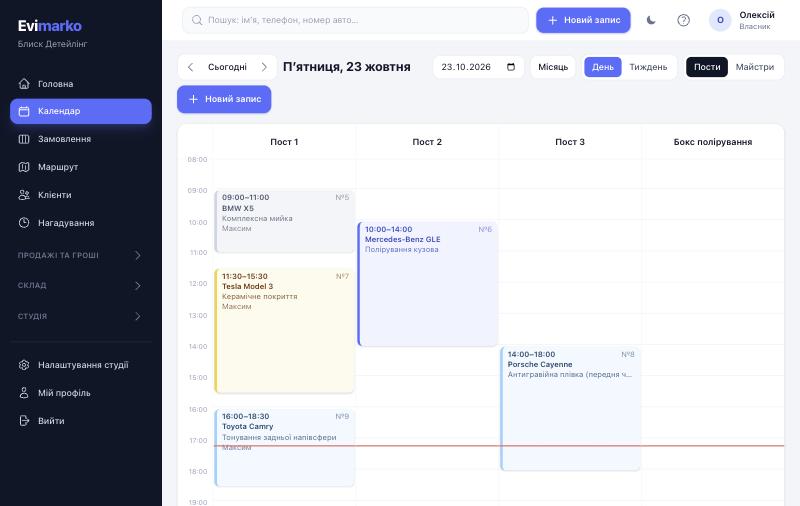
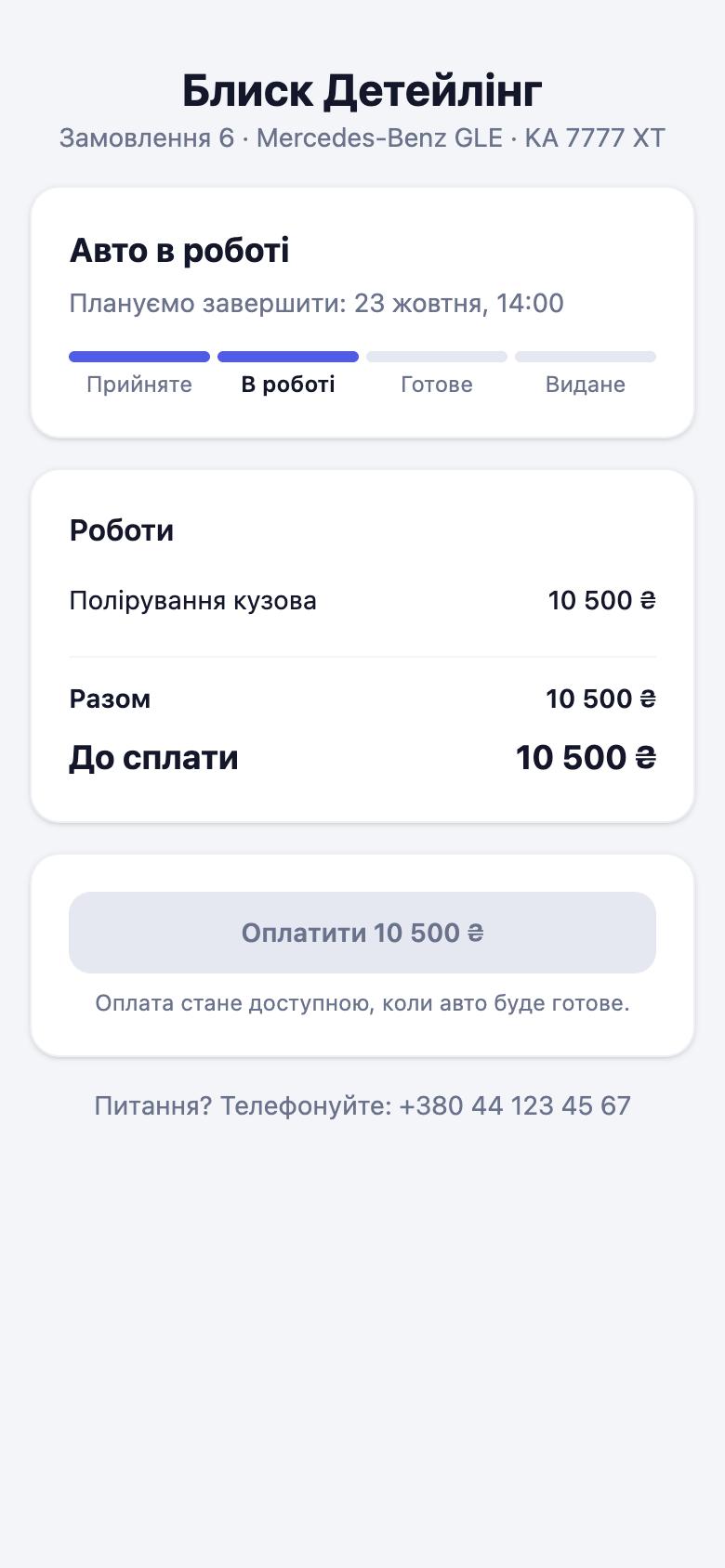
Work order from the first call to handover
- BookingThe front desk looks the car up by plate. If it is new, they photograph the VIN on the registration and the make, year and model fill in.
- Check-inMileage, fuel, what was left inside, visible damage. The customer signs on the screen and gets the record as a link.
- Diagnostics and quoteThe mechanic adds labour from the price list and parts: name, quantity, customer price and purchase price. The quote goes to the customer as a link and they approve it with a signature.
- RepairFound something else on the way? Offer the extra work; the customer sees the price and confirms from their phone, without calls about “how much will that be”.
- HandoverPayment to the till, warranty on the work, an entry in the car’s history. Six months after an oil change the car shows up on the “time to invite” list by itself.
Garage management: what the shop gets
History of every car
What was replaced, when, at what mileage and by whom. Search by plate, VIN or the owner’s phone.
Parts in the work order
The purchase price goes into cost, the customer price into the invoice. Work order profit takes into account what you paid for the part.
Hourly labour
General repairs, electrics and suspension work can be sold by the hour. You set the rate; the mechanic enters the hours.
Ready price list
Setup creates typical jobs: service, oil change, computer diagnostics, pads per axle, rotors, alignment, timing belt, clutch, A/C recharge. Sample prices are labour only; set your own.
Mechanics and shifts
Percent of labour, salary or hourly pay. Shift schedules are in the same place, and online booking won’t take a customer on a day the right mechanic is off.
What the auto repair software doesn’t do
Evimarko doesn’t look parts up by VIN in catalogues and isn’t connected to suppliers. You type the part in: name (part number can go in the name), quantity, two prices.
If every work order has 20 lines and you live in parts catalogues, you need a different system. If it is 3–5 parts per car, this is enough.
Simple pricing
Every plan is free for 7 days, no credit card required.
For businesses and solo techs
Solo
$12 / month
≈ ₴546
- 1 person — just you
- Everything for work — nothing cut
- Booking, calendar, signed check-in, photos
- Stock, film, profit of every car
- Hired a tech? Switch to “Start” in one click
Start
$29 / month
≈ ₴1,321
- Up to 3 staff
- Everything you need — nothing cut
- Booking, calendar, signed check-in, photos, checklists
- Client link: status, findings with photos, approval, payment
- Stock, film, paint mixes, suppliers
- Pay per service, profit per car
Business
$49 / month
≈ ₴2,231
- Up to 10 staff
- Everything in Start
- Fast support on Telegram
- For businesses with several technicians and bays
Pro
$79 / month
≈ ₴3,598
- Unlimited staff
- Everything in Business
- Accounting export and fiscal receipts
- IP telephony, API and webhooks (Zapier, Make, n8n)
- Priority support
- We migrate your data from Excel / other CRMs for you
For larger businesses
Network
Big team, your own processes and requirements — we set you up, migrate data and train the team.
from $149 / month
≈ ₴6,785
Talk to us- Unlimited staff
- Everything in “Pro”
- Personal manager and team training
- We migrate all your data
- Custom work for your processes
- Priority support
Questions
How much does auto repair shop software cost?
From $12 a month for one mechanic, $29 for a team of up to three, $49 for up to ten. Stock and payroll are on every plan; integrations are on “Pro”.
Can I print the invoice or check-in record?
Yes, both are available as PDF. Customers often prefer the link: labour, parts, totals and the car’s status.
Will you move our customers from another system or a spreadsheet?
Yes, free of charge: customers, cars and prices. All we need is an export or a spreadsheet.
How does the customer know the car is ready?
They have a link with the status: booked, arrived, in progress, ready. If there is an email on file, they also get an email.
We have two locations.
For now each shop is a separate account. Managing several locations in one account is being prepared for the “Network” plan; write to us and we will set it up together.
Open your first work order today
7 days free, no card. We move customers and cars from your current system or spreadsheet.